Introduction
Being able to get paid on time is a huge issue for businesses, whether you're a freelancer in Manila, an agency in London, or an e-commerce store in Toronto. It's a time-consuming process to do invoicing manually, and it can be very easy to make errors along the way. This is why a lot of people use an invoice generator.
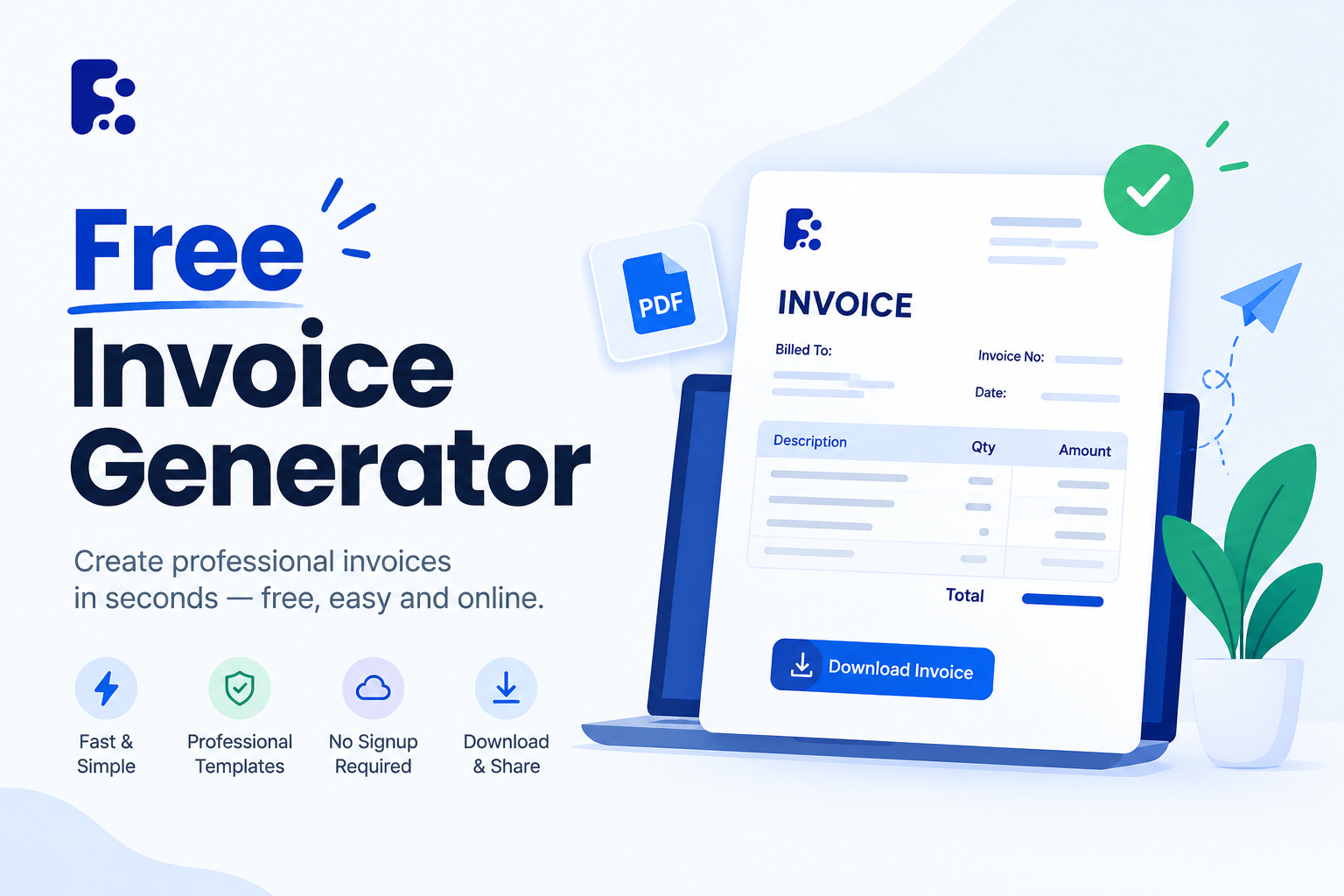
An invoice generator is a software that helps people create professional and compliant invoices within a much shorter period of time than if they had to do it manually. As a result of digitalization and world business, invoice generators are a must for many people and organizations. In this guide we’ll cover what invoice generators are, why they’re important, what features to look for and how to pick the right one.
What is an Invoice Generator?
An invoice generator is a tool, usually digital, that allows people to create invoice online, customize, send, and track invoices. Instead of having to format an invoice manually, you simply enter the relevant information, and the invoice is created for you with the press of a button. Most invoice generators offer a variety of features such as calculating taxes and currency conversions, language and currency options, recurring invoicing, payment gateway options, storage, and downloading the invoice in different formats. Since most invoice generators are cloud-based, they can be accessed from anywhere in the world.
Why are invoice generating tools needed all over the world?
There are many reasons why various companies all over the world need invoice generators.
1. The Global Marketplace
It is very common nowadays for people working from home to issue an invoice to someone who lives in a different country. In such a situation an invoice generator is ideal since it enables you to draw up invoices in various languages and currencies.
2. Professionalism
People will repay you more quickly if you send them a professional invoice including all the required information, payment options, and logos; a professional invoice will also avoid any confusion or disputes.
3. Time-Saving
A great many small business owners claim that invoicing takes up a lot of their time each week, but this can be greatly reduced by using an invoice generator, particularly if the user saves their templates and client details so that they don't have to reenter them every time. In the past, invoicing used to take certain small business owners around 30 minutes per invoice, while now it takes them only about two minutes.
4. No Mistakes
You can well imagine that numerous mistakes are possible when invoices are written by hand, and this leads to confusion and headaches for both parties in particular when you are dealing with a country that has different tax laws.
5. Faster Payment
Currently, many invoice generating programs include a 'Pay Now' feature which allows you to receive payment directly from the invoice. In this way, you avoid having to send out the invoice and then wait for them to pay you.
6. Problems relating to taxation and audits
It is usually possible with most invoice generators to retain a copy of each invoice you send, something that is far easier than keeping them all track of yourself. You can make use of this feature when tax season arrives or if an audit ever takes place.
Key Features to Look for in a Global Invoice Generator
Choosing the right invoice generator for you may be confusing, since there are a lot that you can find on the internet. Make sure to read more about the necessary qualities in a global invoice generator listed below:
1. Multi-currency
If you want to issue an invoice to people from different regions, make sure to choose an invoicing generator that includes a lot of currencies to choose from.
2. Multi-languages
Acknowally important item if you will be charging people that is from areas other than the U.S. Because not all of them understand the language you commonly use.
3. Tax and Duties
Since each region has separate tax practices, you should check on whether your invoicing software helps with this.
4. Customizable Invoicing
Customizing in order to display the brand you’re establishing would certainly add up to a good impression. An invoicing tool that provides templates and various customizing options for fonts and designs should be your aim.
5. Recurrent Invoice
Should you do bill customers regularly, this would make things a lot easier, since you do not have to rewrite each and every invoice each and every time.
6. Payment Options
If you're wanting to incorporate several payment gateways in your business, an excellent invoice management software lets your clients pay through different methods like through PayPal or bank transfers.
7. Mobile Access
For people who are on the go, this particular benefit of software accessibility in any mobile device is surely handy.
8. Secure Data Storage with the use of Cloud Tech
You need to protect everything that goes into your enterprise which includes the documents you're submitting to your clients, with secure cloud storage solutions.
Free vs. Paid Invoice Generator
Most invoice generators have a free plan with limited features, and a paid plan with more features. The free plans are good for people who need to invoice only occasionally and the paid plans are better for people who invoice regularly. When choosing a plan you’ll want to consider how much you invoice, how much you’re willing to pay and if the added features are worth it to you.
Best Practices for Using an Invoice Generator
A. Always Use Sequential Invoice Numbers
This makes it much easier to keep track of your invoices.
B. Always Specify Payment Terms
This helps to avoid disputes and confusion.
C.Always Include All Tax Information
This helps to avoid issues with taxes and legal problems.
D. Always Send Invoices in a Timely Manner
This helps to ensure that you get paid on time.
E. Always Follow Up on Overdue Invoices
Many invoice generators offer automatic payment reminders, which is much better than having to follow up on late payments manually.
F. Always Keep Track of Your Invoices
Most invoice generators allow you to store a history of your invoices, which is much better than having to keep track of them manually.
G. Always Personalize Your Invoices
If you invoice people on a regular basis, it's a good idea to personalize your invoices to make them more professional.